How to make a product launch video
A launch video has one job: make someone who has never heard of your product stop scrolling and want to try it. Here's how to make one, the cuts you'll need, and what each launch platform accepts.
By Ammar Rayes, founder of HeroReel · Updated
The short answer
A product launch video is a 45- to 60-second film that shows a moment your customers know, then your product changing it. Make one master film in 16:9 for your landing page and Product Hunt, then vertical and 4:5 cuts for X, LinkedIn, Reels and Shorts. Put every line on screen, so it works when a feed plays it without sound.
What a launch video has to do
On launch day your video plays to strangers in a feed, between other launches and everything else. It gets a few seconds to make them care, and it can't rely on sound. So it needs one idea, not a tour of features: a moment your customers know from their own lives, your product doing the work once, and a line they could repeat.
Keep it to 45 to 60 seconds. Every platform below accepts longer, but a launch post is not where people sit through a walkthrough. Save that for your docs and your onboarding.
The structure, beat by beat
- 0:00 to 0:10, the moment: a time, a place and a person in the middle of the problem, before your product appears.
- 0:10 to 0:20, the turn: the problem at its sharpest, in a line or two.
- 0:20 to 0:40, the product: it arrives and does the work once, named the way you name it.
- 0:40 to 0:50, the payoff: what's different now, or one more proof.
- 0:50 to 0:60, the end line: the promise in under eight words, and your name.
What each launch platform accepts
Most platforms take far more than a minute. These are their own limits, so you know which cut goes where.
| Platform | How you post it | Length | Shape |
|---|---|---|---|
| Product Hunt | A YouTube link in your gallery, public and as a full URL | No limit stated | No ratio stated |
| X | Upload it natively | Up to 140 seconds; up to 4 hours with Premium on web and iOS, 10 minutes on Android | 1:2.39 to 2.39:1 on the web |
| LinkedIn feed | Upload it natively | Up to 15 minutes and 5 GB | 1:2.4 to 2.4:1 |
| Instagram Reels | Upload it | Up to 20 minutes; over 3 minutes isn't recommended to new audiences | 1.91:1 to 9:16 |
| YouTube Shorts | Upload it | Up to 3 minutes, and any square or vertical upload that short counts as a Short | Square or vertical |
| TikTok | Upload it | Up to 30 minutes from the web | 720x1280 or higher |
| Show HN | Not a video: post something people can try | Video only counts for hardware | None |
From each platform's own help pages, read October 28, 2026. Sources are listed at the end.
Product Hunt, specifically
- Video is optional, but common: Product Hunt says about 53% of products that reached Product of the Day since 2021 include one.
- Only YouTube links work. Upload it a few days early, check it isn't private, and paste the full URL, not a short link.
- The video sits in your gallery with your images, which need to be 2 or more before the gallery shows. Images are 1270x760.
- Your thumbnail is 240x240 and under 3 MB. An animated GIF only moves on hover.
- Launches go live at 12:01 AM Pacific, and your tagline can be 60 characters.
The cuts you'll need
Make one master film in 16:9 for your landing page and YouTube, which is also what Product Hunt shows. Then cut a vertical 9:16 version for Reels, Shorts and TikTok, and a 4:5 version for X and LinkedIn feeds, where it takes up more of the screen than 16:9. LinkedIn recommends 4:5 for video ads.
Put every line on screen rather than in a voiceover. X shows captions automatically in the mobile timeline, but a film whose words are already on screen doesn't depend on that. And use music you own or have licensed: on YouTube, a Short over one minute with any copyright claim is blocked everywhere.
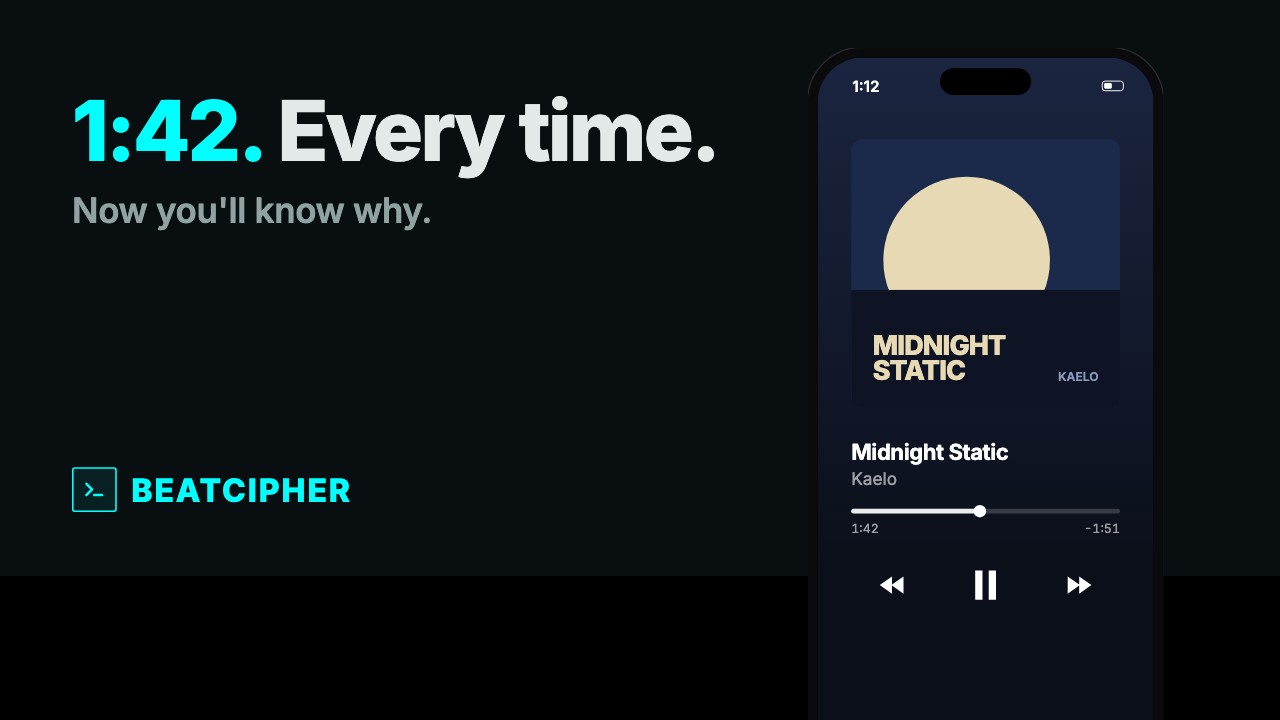
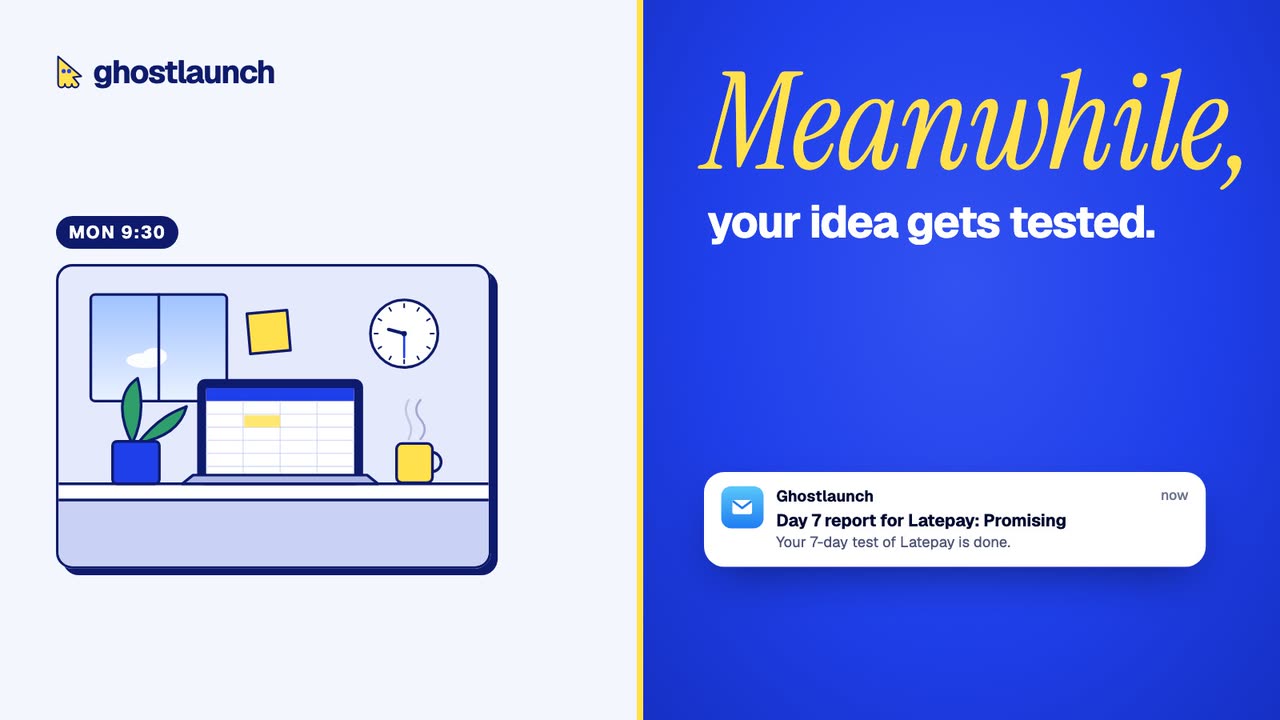
Launch films we've made
Two of ours, each 45 to 60 seconds, each starting from a moment rather than the product.
Launch day checklist
- Upload the 16:9 film to YouTube a few days before, public, and add its full URL to your Product Hunt gallery.
- Upload the 4:5 cut natively to X and LinkedIn rather than posting a YouTube link: native video autoplays in the X timeline.
- Post the vertical cut as a Reel, a Short and a TikTok.
- Put the 16:9 film on your landing page, near the top, with a poster image so it loads fast.
- Check every claim in the film against what your product does today.
Sources
- Product Hunt: how to post a product, checked October 28, 2026
- Product Hunt: prepare for your launch, checked October 28, 2026
- Product Hunt: launch guide, checked October 28, 2026
- X Help Center: how to share and watch videos on X, checked October 28, 2026
- X Help Center: longer videos for Premium subscribers, checked October 28, 2026
- LinkedIn Help: share videos on LinkedIn, checked October 28, 2026
- LinkedIn Help: video ads specifications, checked October 28, 2026
- Instagram Help: record a reel, checked October 28, 2026
- Instagram Help: reel size and aspect ratios, checked October 28, 2026
- YouTube Help: three-minute Shorts, checked October 28, 2026
- TikTok Support: tools for creators, checked October 28, 2026
- Hacker News: Show HN guidelines, checked October 28, 2026
- Wyzowl: video marketing statistics 2026, checked October 28, 2026